How to Manage Backups
The information in this Wiki Page applies to TANE, TRS19 and Trainz Plus. This guide will explain automatic and manual backups in Trainz.
| Main Points: | |
 |
Trainz will automatically backup your current route and session while you work. You can set the number of backups created each day |
|
You can use Content Manager to manually create backups of routes, sessions and assets as often as you need |
|
Both the manual and automatic backups can be restored to Trainz by Content Manager |
Contents |
Automatic Backups vs Manual Backups
 Notes: Notes: |
|||||||||
|
Automatic Backups
Creating Automatic Backups
| In Summary: | |
|
Only a set number of backups are created each day |
|
Only 7 days of backups are kept |
This is a Set and Forget operation. You simply tell Trainz how many backups you want created each day and the program takes care of the rest.
|
|
|||||||
 |
Steps:
|
||||||
|
|
|||||||




| Notes: |
||||
|
Only the last 7 days of backups are kept and this number cannot be changed.
Restoring Automatic Backups
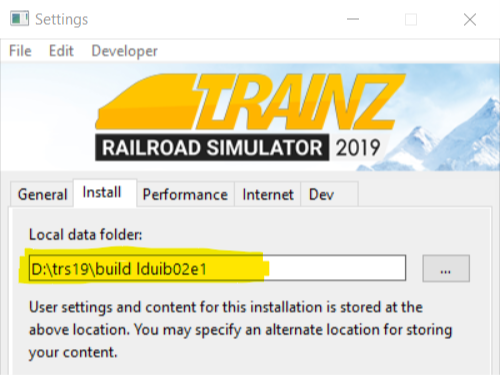
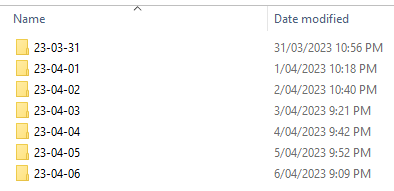
The automatic backups are stored in a backup folder in your Trainz local data folder. The location of this folder is held in your Launcher - Trainz Settings - Install tab.
|
|
|
|
Step 1: Open the Backups Folder
 |
|
|
|
|
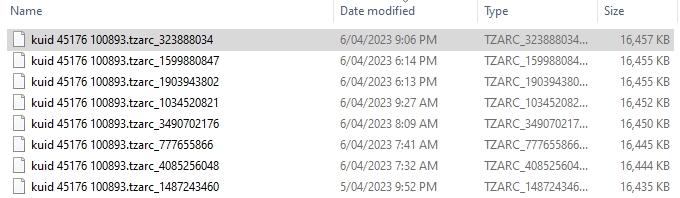
Step 2: Identify the Backup Folder
|
|
|
|
|
Step 3: Restore the Backup To Trainz
|
|
|
|
More details, including tips on troubleshooting, can be found in the Trainz Knowledge Base at Restoring Backups
Manual Backups
| In Summary: | |
|
You control the number and frequency of backups |
|
You control the backup location and filenames |
|
Assets, not just routes and sessions can be backed up |
Creating Manual Backups
|
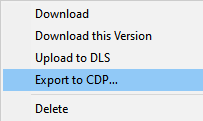
Manual backups are stored as .CDP files |
|
Many assets can be stored in a single .CDP file |
|
|
||||||||||||||||
|
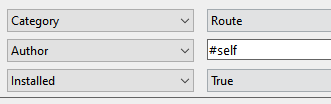
Steps:
|
|||||||||||||||

Restoring Manual Backups
|
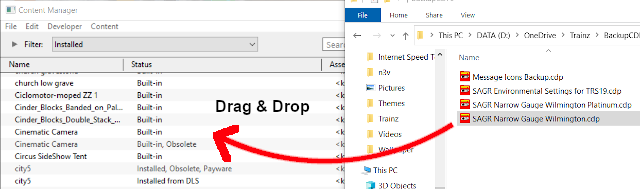
Simply drag and drop the backup CDP file or files into Content Manager |
|
|
|
|
Steps:
|
|
|
|
Backing Up and Restoring Picklists
|
Picklists have to be exported and imported as text files |
Picklists cannot be backed up manually using .CDP files. They must be exported as text files.
 |
Detailed instructions on backing up and restoring Picklists as text files can be found on the Trainz Wiki Page at:- |
Trainz Wiki
 |
More Tutorials and Guides to Using Trainz |
This page was created by Trainz user pware in January 2020 and was last updated as shown below.
